Overview
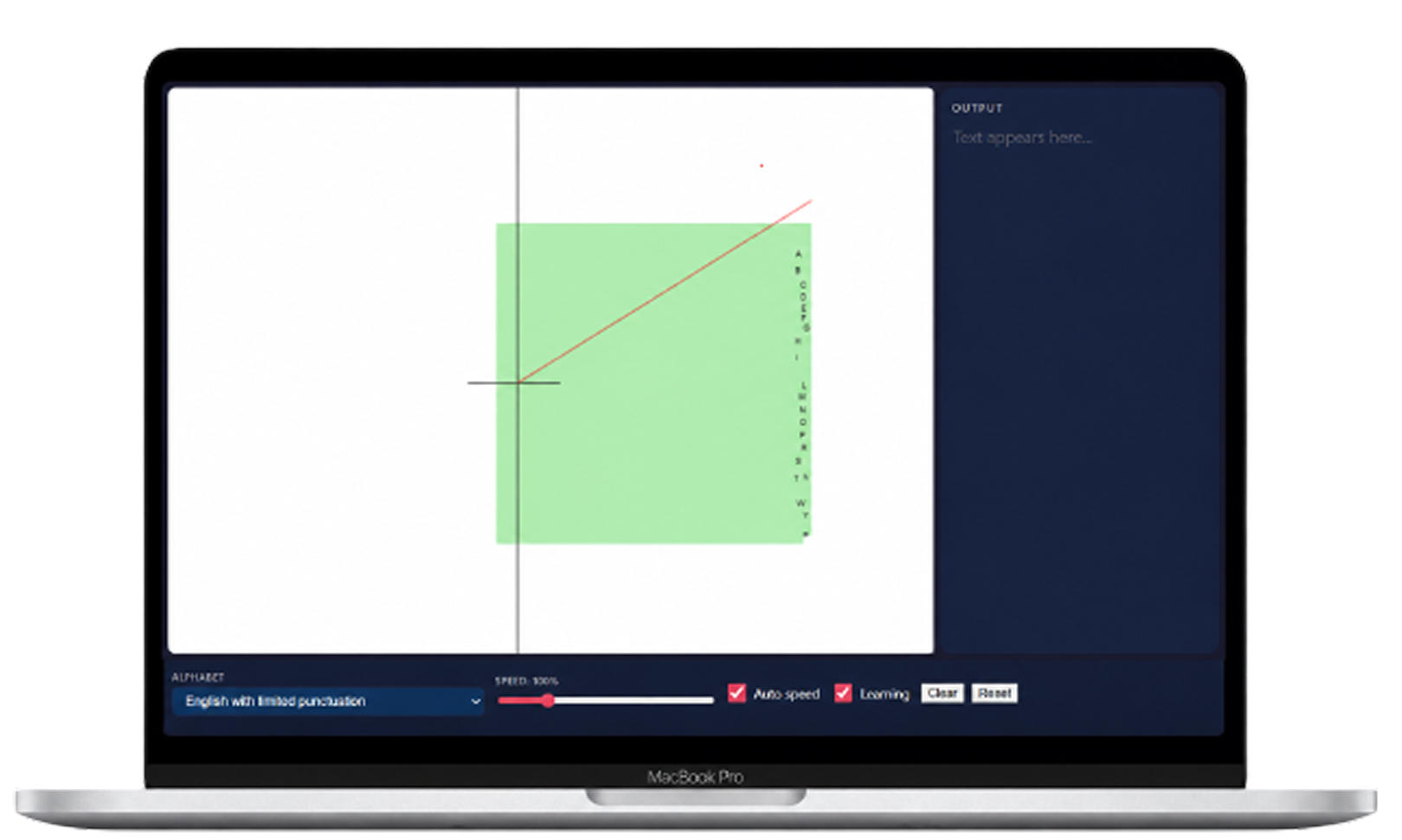
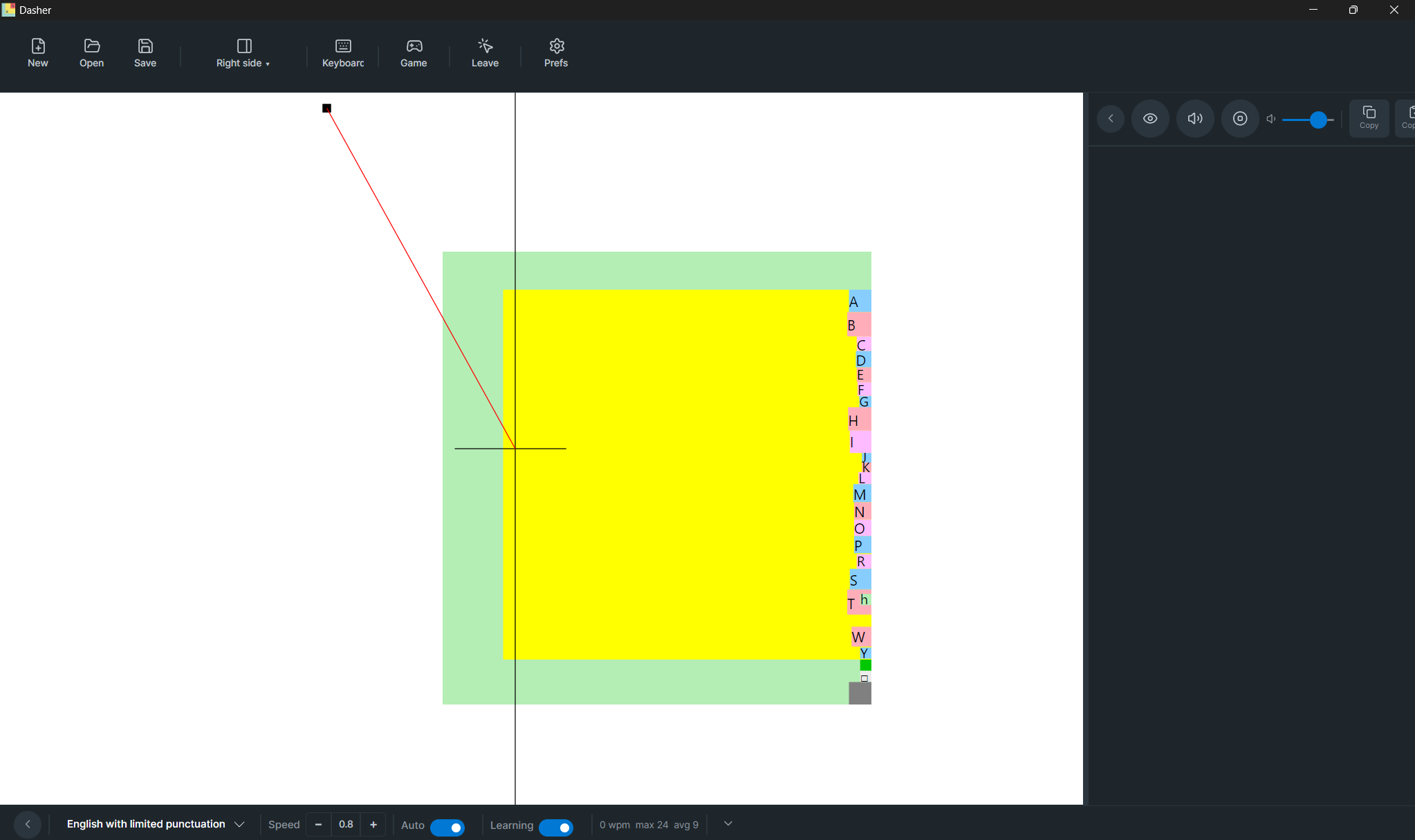
Dasher is an open-source predictive text-entry system that offers an alternative to conventional key-by-key typing. Instead of typing individual characters, users navigate through a continuously zooming interface to construct words and sentences. It can be controlled through different input methods, including mouse, touchscreen, eye tracking, head tracking, switches, joysticks and other continuous-input devices, and supports more than 60 languages.
For the V6 UX redesign, the broader team is exploring three connected areas: Onboarding, Settings & Configuration, and Learning/Gamification. My primary focus is Settings & Configuration, while also contributing to onboarding because configuration decisions are introduced as part of the first-time experience.
Context
Dasher has accumulated a powerful and flexible configuration system over years of development. That flexibility is important because users can interact with Dasher in very different ways, but it also creates a challenge: how do we make configuration understandable and manageable without taking away the control experienced users need?
The V6 UX work looks at this as a connected experience rather than treating onboarding, learning and settings as separate problems. A user's first interaction with Dasher affects what they understand about the product, while their configuration needs can change as they gain experience.
I work with Squad B on Settings & Configuration Architecture, contributing across the settings work itself. Including research and user conversations, understanding the existing settings system, identifying patterns and problems, developing hypotheses, exploring design directions and creating UI prototypes for discussion and testing.
The Challenge
Dasher's flexibility also creates configuration complexity. Users can have very different input methods, workflows, speeds and preferences, which means the settings that matter to one person may not matter to another.
The team has been looking at challenges including technical setting names, discovering the right controls, understanding the consequences of changes, dependencies between settings, and knowing which settings are relevant to different users.
This made the problem bigger than simply redesigning a settings screen. We needed to understand who needs which settings, when they need them, how they discover them, and how confidently they can change them.
How might we help each Dasher user configure the experience around their own needs without forcing everyone to navigate the full complexity of Dasher's settings system?
My Role
I am part of the collaborative UX team working on the V6 redesign, with my primary focus on Settings & Configuration.
The broader research, interviews, settings analysis and design discussions are collaborative work across the team. Within that work, my contribution has focused on forming design hypotheses, exploring personalization and configuration models, and turning those ideas into UI concepts and prototypes for discussion and testing.
Some of the directions I have personally explored include:
- input-based configuration
- personalized setup
- profiles and presets for different contexts
- interactive “See it in action” experiences
- personalized Basic Settings through “Add to Basic Settings”
The project is still in progress, so these are design explorations and hypotheses rather than final or shipped solutions.
Research & What We Learned
Through the team's research and interviews, we saw that Dasher users do not have one universal way of working. Their needs can change depending on their input method, speed, workflow, task and personal preferences.
The team also reviewed earlier Dasher research from 2021. That earlier work included evidence around different workflows and configurations and raised ideas around presets and personalization. During the V6 work, current research surfaced related themes around input profiles, speed profiles, device-based presets and different configurations for different tasks. We used the earlier work as context while examining how those ideas might apply to the current experience.
One interview was particularly useful in thinking about profiles. A user described using Dasher for activities including coding and texting. This highlighted how the same person may want different configurations depending on what they are doing, and led me to explore how profiles or presets could support those different contexts.
Understanding the Settings System
Before designing a new interface, we spent time understanding what already exists.
The Settings work involved mapping controls, their names, descriptions, interactions, values, dependencies, affected areas and potential users. This helped us see that the challenge wasn't simply that there are “too many settings.” Some settings may be rarely changed but still critical to particular users, while others may be useful only for specific input methods or workflows.
This also raised an important question around frequency versus importance: a setting that someone rarely touches is not necessarily a setting they can afford to lose.
From Research to Design
As the research progressed, I started exploring a different question:
Instead of creating one universal configuration experience, could Dasher adapt to the person using it?
That thinking led to several directions that are currently being explored with the team.
Direction 01 — Start with the Input Method
Because onboarding already contains configuration decisions, I suggested an input-based starting point to the onboarding team.
The idea is to first understand how a user controls Dasher and then provide a relevant starting configuration for that input method. The intention is not to assume that one configuration works for everyone, but to give users an appropriate starting point before they need to understand the deeper settings system.
This direction also came from looking at settings through an accessibility lens. Different input methods can change not only which settings matter, but also how a control itself should work.
Direction 02 — Personalize Your Setup
I also suggested giving users the option to personalize their configuration from the beginning.
This creates another path for users who already know what they want to change, without requiring every new user to go through a detailed configuration process.
The idea is to make personalization available as an option rather than making it a requirement for everyone.
Direction 03 — Skip Setup and Try Dasher First
This direction came directly from user research.
One participant expressed a preference to skip the initial setup and experience Dasher first, then make changes after seeing how it works in practice. I explored this as an alternative onboarding path where users could enter Dasher immediately, learn through use and configure the experience later.
This was an important reminder that not every user wants to understand or configure the system before experiencing the product.
Direction 04 — Personalize Basic Settings
Based on our discussion around the survey, user interviews, and research, I explored the idea of keeping Basic Settings simple with around 5–7 important settings by default, while allowing users to personalize it. If a user needs a setting that isn’t included by default, they could use a “+ Add to Basic Settings” option from Advanced Settings to bring it into their own Basic Settings. This would avoid trying to create one perfect Basic Settings list for everyone, since different users may have different needs and workflows, while still keeping the default experience simple and manageable.
Profiles & Presets
Earlier Dasher research from 2021 had explored ideas around presets and personalization. Our current team research also surfaced related needs, including different configurations for inputs, speeds, devices and tasks.
One interview was particularly useful in thinking about this. A user described using Dasher for activities including coding and texting, suggesting that the same person may want different configurations depending on what they are doing.
Based on these earlier findings and our current research, I explored whether users could save different configurations for different contexts, rather than repeatedly adjusting individual settings.
The idea is that a user could potentially have different configurations for different inputs, speeds or tasks.
This direction is still an exploration and needs further validation.
My contribution: Connecting the earlier research with current findings and exploring the profile/preset concept through UI and interaction ideas.
Understanding Advanced Settings
Another area I have been exploring is how users understand more technical settings.
Through the settings research and conversations, we identified that some settings are difficult to understand because the terminology does not immediately communicate what the setting changes. This led me to explore ways of helping users understand a setting through its actual behaviour rather than relying only on technical descriptions.
One direction is “See it in action” — allowing a user to experience the effect of a setting directly. I also explored clearer descriptions and progressive information so users can start with a simple explanation and go deeper when they need more detail.
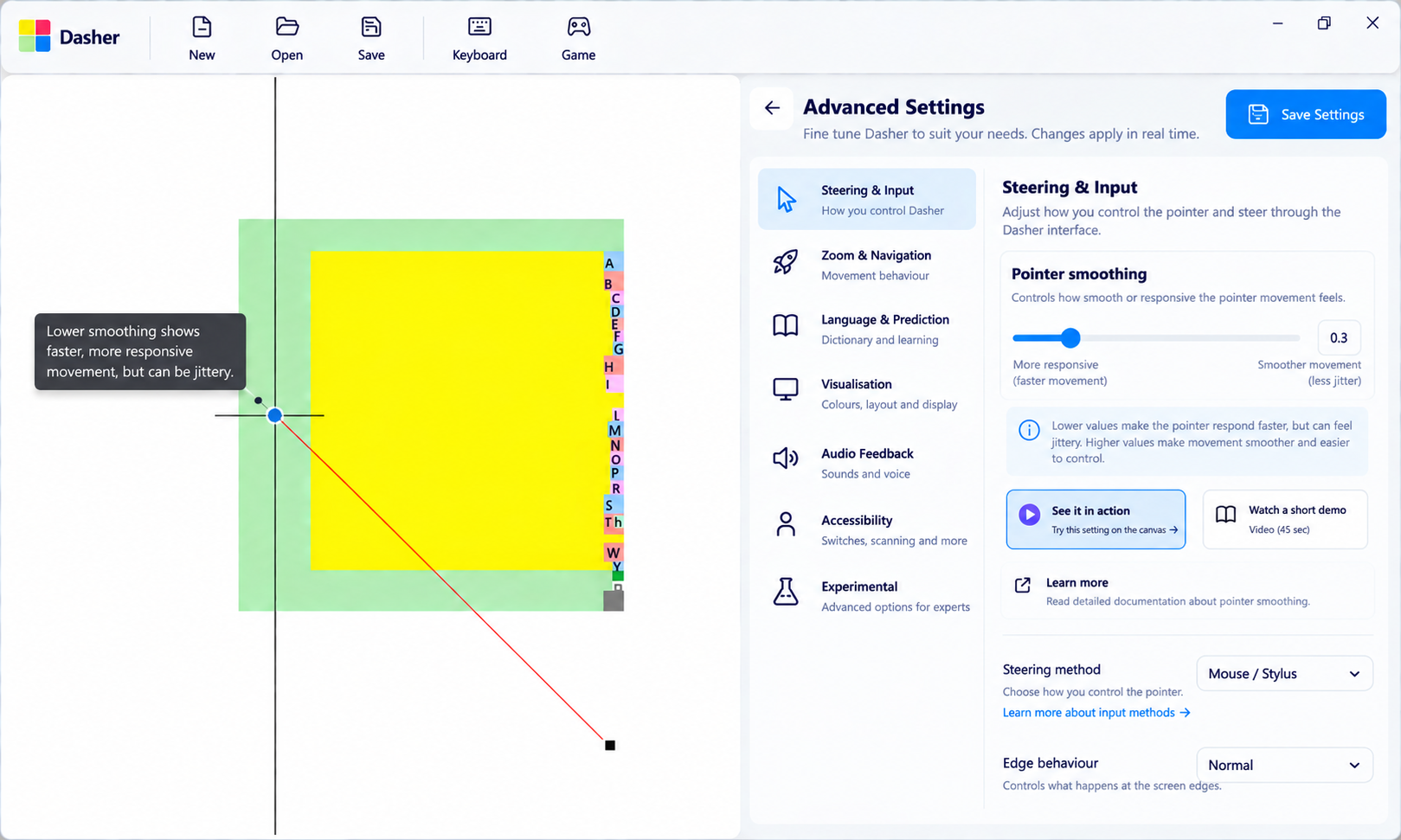
I created this initial UI rapidly so we could discuss the layout and interaction rather than debating the idea only in abstract terms. It is an early prototype, not a final design.
Try It Before You Commit
Earlier research reviewed by the team showed users going back and forth to understand the effects of configuration changes. I brought that observation into our current discussions, and conversations with users reinforced the value of being able to experiment before committing to a change.
From those discussions, I explored an interaction model where users could try a change, see the result, and then keep or revert it. The intention is to make experimentation feel safer, particularly when users are unfamiliar with a technical setting.
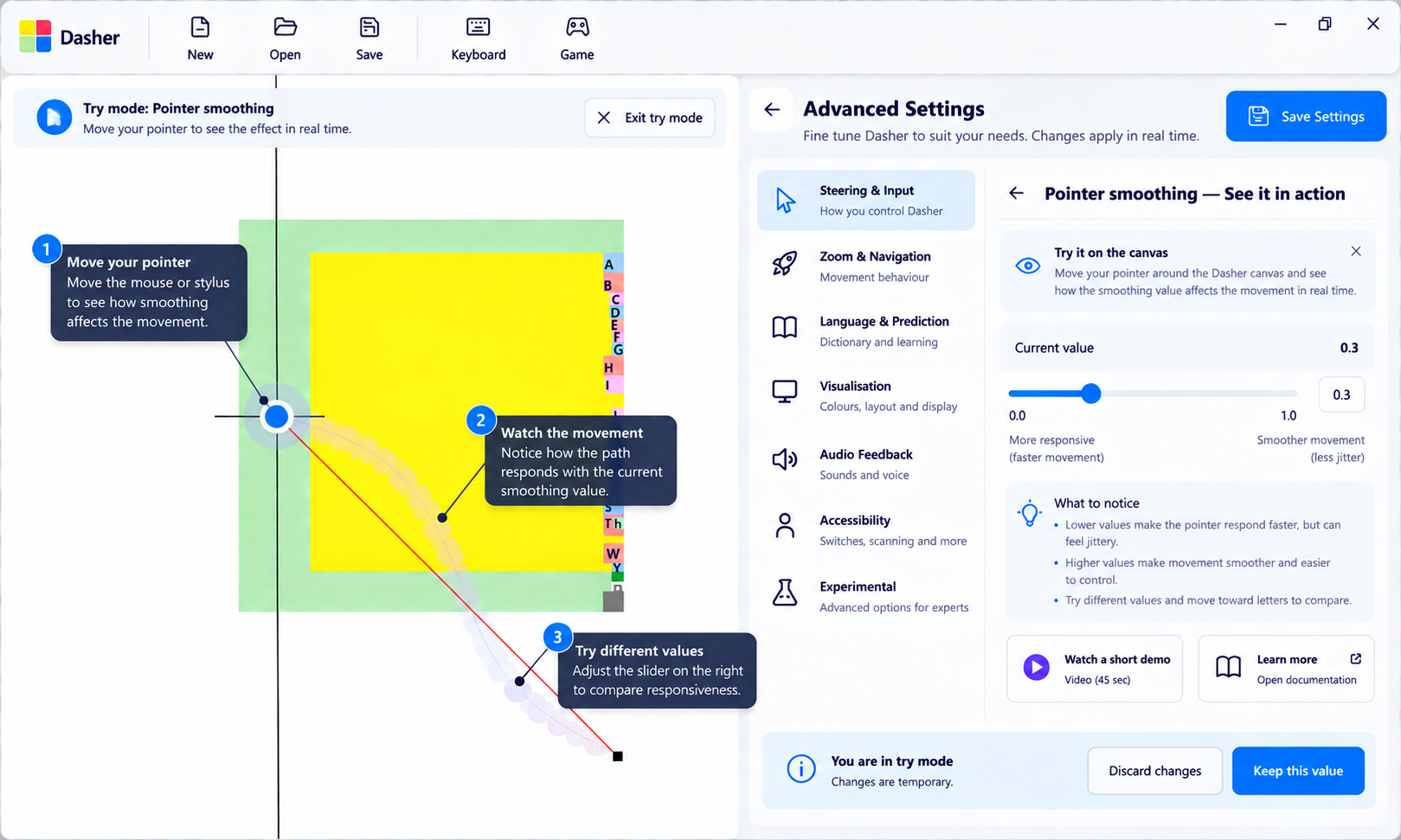
This is another hypothesis that we plan to test rather than a finalized interaction.
Settings UI Exploration
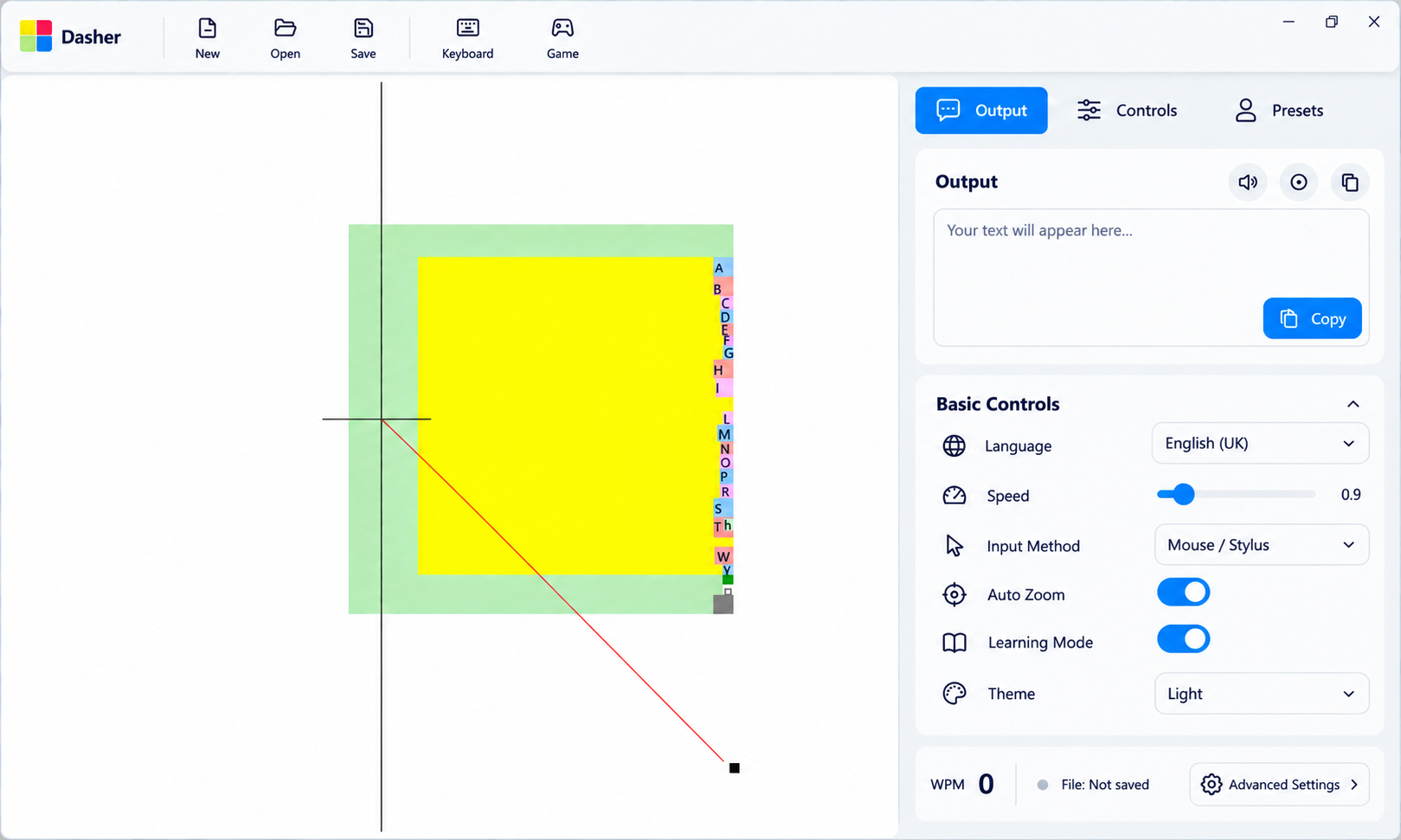
As these ideas developed, I also created rapid UI explorations of the Settings experience, including a right-side Settings panel, Basic and Advanced Settings access, hierarchy and the interaction patterns described above.
These screens were created as working prototypes for the team. We discussed the underlying directions together, and I used rapid UI exploration to make those ideas tangible, compare layouts and interactions, and create something we can take into further testing.
The broader Settings architecture remains a collaborative effort. My contribution spans the process from understanding the existing system and speaking with users through to forming hypotheses and exploring the interface.
What This Is Becoming
Across the research and design exploration, one principle has been guiding my thinking:
"Simple by default. Personal when needed. Advanced when required"
A new user should not need to understand the entire Dasher system before they can start using it. At the same time, experienced users should be able to access deeper configuration when they need it.
The current exploration therefore moves toward a more progressive experience: users can start with an appropriate configuration, personalize when they need to, learn through use, and access deeper settings as they become more confident.
This is a direction we are continuing to investigate, not a final product model.
Current Status
Work in progress - The Dasher V6 UX work is still ongoing.
The current concepts around input-based onboarding, personalized setup, skipping setup, profiles and presets, Advanced Settings explanations, and reversible experimentation are being explored through research, discussion and prototyping.
The next stage is to test these directions with users, understand which concepts are useful and understandable, and iterate based on what we learn.
The “See it in action” UI is currently an initial exploration that will help us test the interaction rather than a final screen.
The Settings architecture itself is also still being refined as we learn more about different users, input methods, tasks and configuration needs.
Reflection
Working on Dasher V6 has reinforced for me that the challenge is not simply reducing the number of settings, but helping people understand and configure a system that needs to support very different ways of working. Through user conversations, settings exploration, and design iterations, I’ve been thinking about how Dasher can offer a simpler starting point while still giving users control when they need it. The work is still evolving, and the next step is to test these ideas with users, learn where the concepts hold up or fall short, and continue refining the experience based on what we learn.